If you have the required permissions, you can access the Templates section via your company in the top-left corner. Project roles and processes can be created as templates and then used across all projects.
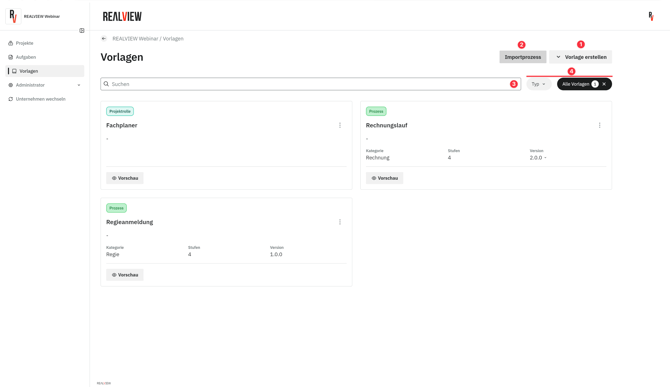
A company administrator can create a new template (1). If a process template has already been used in a project, it can be imported into the company templates (2). You also have the option to search for a specific template (3) or apply filters (4). Templates can be filtered by template type (process, project role) and by template status (active, archived). By default, only active templates are displayed.
Create a template
By selecting Create Template, you can create a new Process Template or Role Template. Simply choose the desired template type.
New Role Template
When creating a new role or editing an existing one, you can set the name, description, and permissions for each module. It is important to ensure that the permissions for each role are set correctly so that role members do not have too many or too few rights.
Selecting All Permissions activates all rights (Read, Edit, Delete, Create, Share, Full Access).
New Process Template
When creating a new process template, you can set the title, category, description, and stages. For detailed instructions on processes, go to the guide Project Processes.
Edit a Template
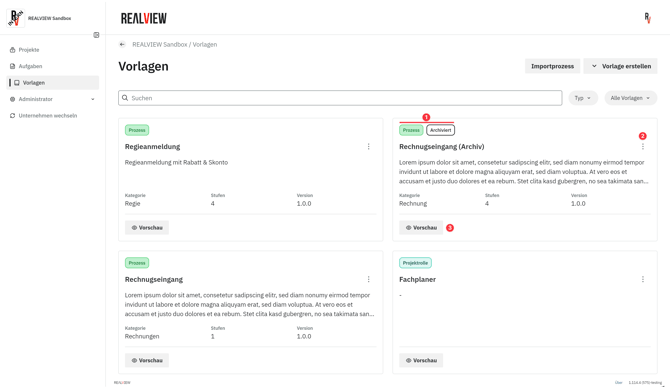
You can always see the type and status (1) of a template. Using the options (2), a template can be duplicated or edited. When editing, you have the option to modify the template or to archive and restore it.
Using the preview (3), you can view the details of the template. The template cannot be edited while in preview mode.
Import Template into a Project
To import a template into a project, first switch to the desired project.
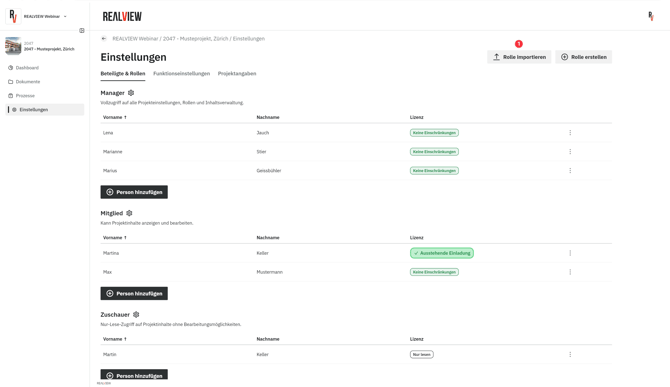
To import a project role, go to the project settings and import the role (1) in the Participants & Roles tab.
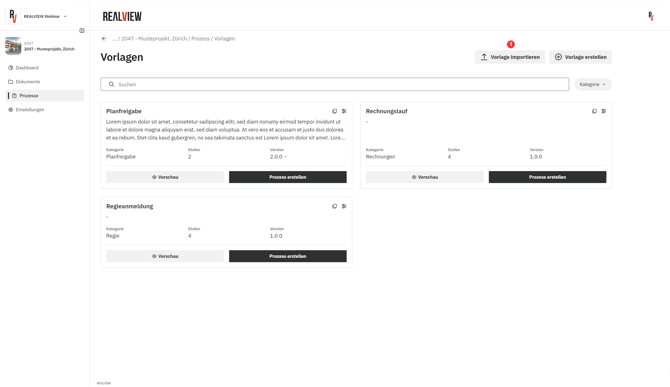
For importing a process template, switch to Processes and then navigate to Project Templates (1) via Create Process.

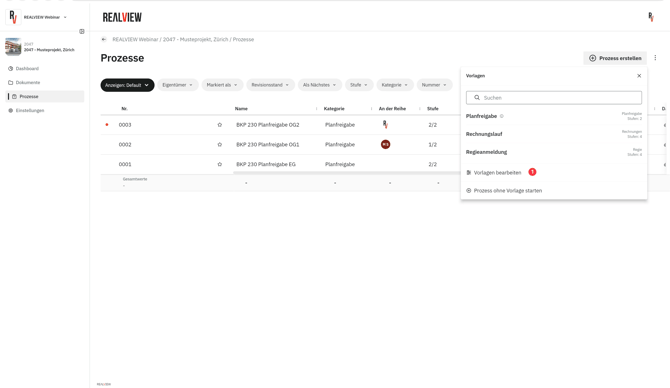
You will now have the option in the top right corner to import a process template (1).