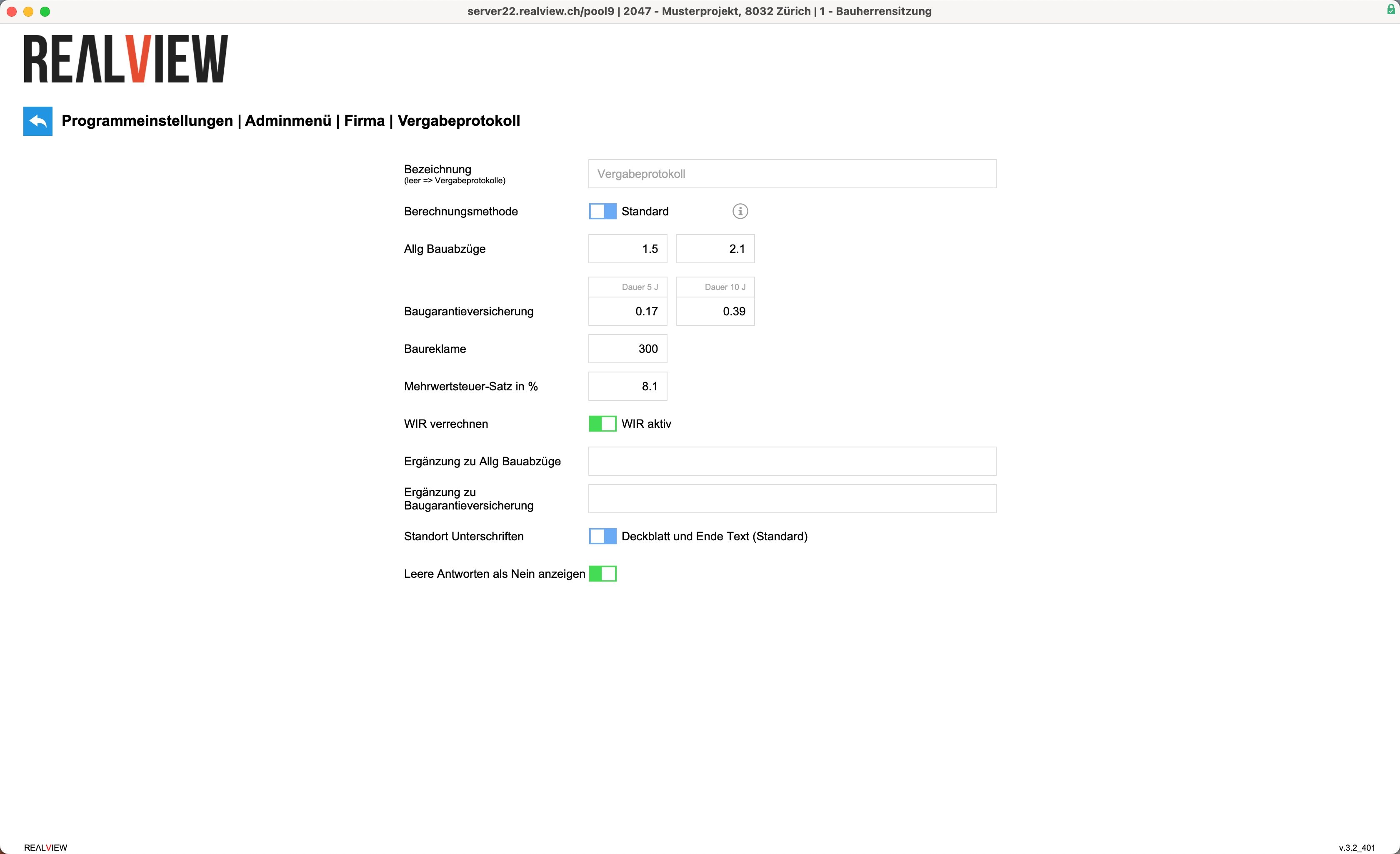
The cross-company settings for the award protocol can be accessed in the admin menu. This option is only available to superusers.
An individual name can be entered for all award protocols in the Name field. If the field is left blank, the title “Award Protocol” is automatically entered.
You can specify which calculation method should be used. This calculation method then applies to all newly created award reports. The following calculation methods are available:
- Standard calculation method: Standard calculation where discounts and cash discounts are deducted from the gross entry. The standard method takes construction warranty insurance into account.
- Method A: Calculation method in which cash discounts, construction logistics, and a freely selectable special discount are deducted from the factory price before construction deductions, excluding VAT. Construction warranty insurance is not taken into account in the calculation.
- Method B: Calculation method with up to 10 freely selectable deductions/discounts that can be deducted from the factory price before construction deductions, excluding VAT. Construction warranty insurance is not taken into account in the calculation.
The costs or percentages for general construction deductions, construction warranty insurance, construction advertising, and the value-added tax (VAT) rate can be specified.
You can also specify whether WIR is accepted or not.
Additional information on general construction deductions and construction warranty insurance can also be specified.
The location of the signatures can be specified. You can choose between the following settings: Cover sheet and end of text, Only on the cover sheet, Only at the end of the text.
If Display empty answers as No is active, unanswered questions in the award protocol are automatically set to No. If this function is deactivated, the questions remain unanswered.