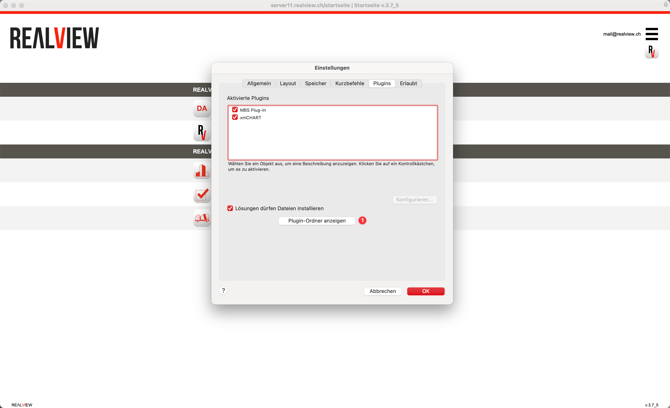
In the top-left corner of Claris FileMaker, you can access the settings as follows:
- On Windows, open the settings via Edit Preferences
- On macOS, open the settings via REΛLVIEW Preferences

The settings window will open. From there, switch to the Plugins tab and display the Plugin Folder (1).
Before deleting the plugins, FileMaker (REΛLVIEW) must be completely closed. Afterwards, you can delete the plugins from the Extensions folder.
The plugins will be automatically reloaded the next time FileMaker is started. Please note that the first startup may take a little longer than usual.