
Solution Steps
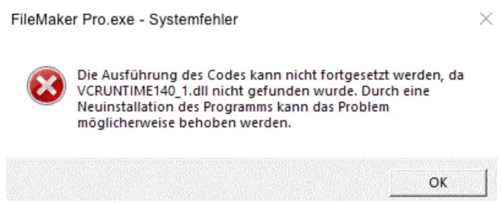
1. Install Microsoft Visual C++ Redistributable
Download and install the latest version directly from Microsoft:
https://learn.microsoft.com/de-de/cpp/windows/latest-supported-vc-redist?view=msvc-170
Select the appropriate version:
- For 64-bit Windows:
VC_redist.x64.exe - For 32-bit Windows:
VC_redist.x86.exe
Tip: In many cases, it helps to install both versions (x64 & x86) to cover all possible scenarios.
2. Restart your computer after installation
Even if the installation was successful, the computer should be restarted to ensure that the DLL is loaded correctly.
If the error message still appears after installing Microsoft Visual C++ Redistributable, please contact REΛLVIEW Support at support@realview.ch or 044 512 18 00 so that the support team can provide you with the correct DLL file.