Functionality
The integration between REΛLVIEW and Bauprogramm.com includes the following features:- Linking existing projects
- Automatic transfer of addresses, roles, and participants from REΛLVIEW to Bauprogramm.com
Bauprogramm.com
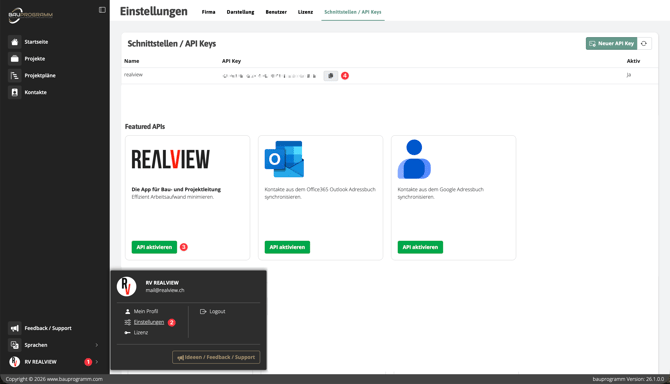
Wechsle über Dein Account (1) in die Einstellungen (2). Nun kann über API aktivieren (3) die API generiert und über das Kopier-Icon (4) kopiert werden. Diese benötigst Du anschliessend im REΛLVIEW.
Via your Account (1) you can go to Settings (2). You can now generate the API by selecting Activate API (3) and copy it using the copy icon (4). You will need this later in REΛLVIEW.
REΛLVIEW
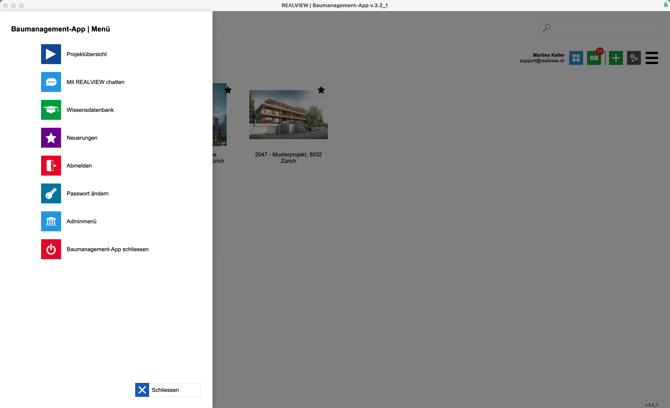
The side menu can be opened via the three bars in the top-right corner or by clicking the company logo in the top-left corner. From there, Superusers can switch to the admin menu. This option is only available to Superusers.
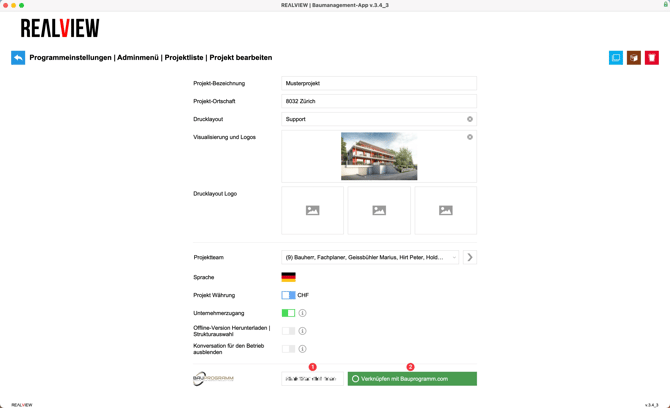
In the admin menu, you can now open the project list and select the desired project. There, you can store the API key (1) from Bauprogramm.com. The same API key can be used across multiple projects. Afterwards, the project can be selected via Link with Bauprogramm.com (2).